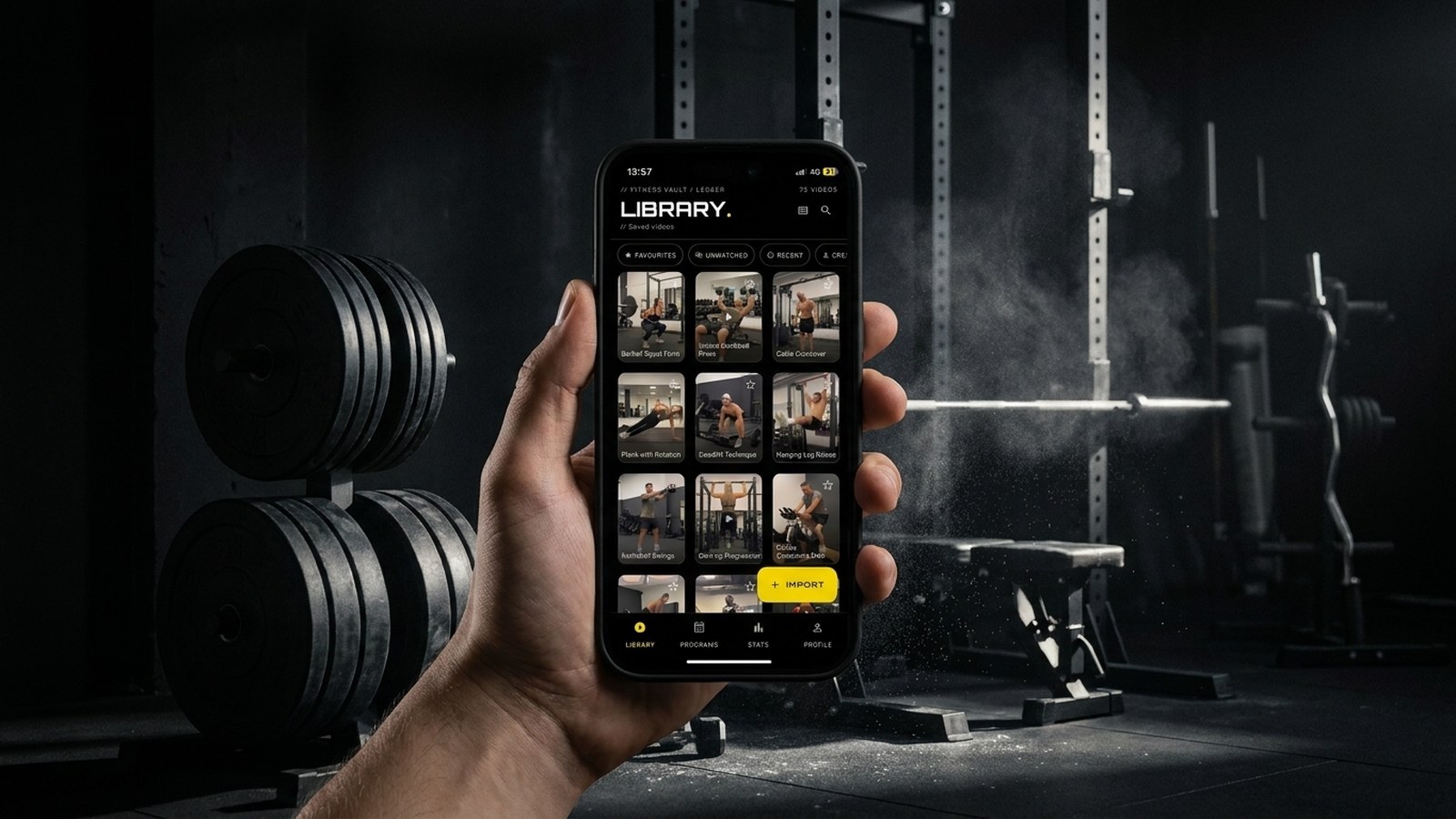
You save a good workout the moment you see it. The trouble starts later, when you want to train and have to find it again. By then it is one of forty saves in Instagram, or somewhere in a YouTube list you stopped curating in March, or on a TikTok the algorithm has buried. The content was worth keeping. The library it landed in does nothing for you.
This guide is about fixing the library: turning a scatter of saved videos into something you can search, filter and train from, whatever app you saved them in.
Why folders stop working
Most people reach for folders first, because every app offers them. Instagram has Collections, YouTube has playlists, your phone has albums. Folders help for a while, then they stop, for two reasons.
The first is that a workout video is several things at once. A dumbbell floor press is a chest movement, a dumbbell movement, and a beginner-friendly one. A folder makes you pick a single home for it. File it under "Chest" and it vanishes from the search you run on a day you only have dumbbells. File it under "Dumbbells" and it disappears from your push day. One video, several truths, one folder: something always goes missing.
The second is that your saves are not in one place to begin with. The coach you follow posts on Instagram, the long tutorials are on YouTube, the quick form cues are on TikTok. Three apps, three folder systems, none of which can see the others. There is no single view of what you have to train with.
Verdict: folders sort one app's saves. They cannot run your library.
What "organised" actually means for a video library
A library is organised when you can answer a question like "what 20-minute dumbbell pull sessions do I have?" in a few seconds. That needs two things folders do not give you: more than one label per video, and a filter that reads those labels together.
Four labels cover almost everyone:
- Muscle group or session type: push, pull, legs, core, mobility.
- Equipment: barbell, dumbbell, bands, bodyweight, machine.
- Difficulty: where the movement sits for you now, not for the coach demoing it.
- Source: the creator or platform it came from, so you can rebuild a week from someone whose programming you trust.
Tag a video with all four and it surfaces in every search it belongs in. That is the difference between a pile and a library.
Step 1 — Get everything into one place
You cannot organise across three apps from inside any one of them, so the first move is to choose a single home and bring the saves to it.
There are two honest options. A spreadsheet or notes app, where you paste links and type tags by hand: it costs nothing and it works, as long as you accept that you will open a second app to play each video and a third to log your sets. Or a dedicated training app that imports the videos directly, so the library and the playback live together.
Either way, treat the import as a one-off clear-out rather than a promise to hoard forever. Pull in what you would actually train with over the next couple of months and leave the rest. A tight library of thirty videos you use beats three hundred you scroll past.
Step 2 — Tag instead of filing
With everything in one place, tag as you add. Muscle group, equipment, difficulty, source. Keep the vocabulary small and consistent: "legs" everywhere, not "legs" in one place and "lower body" in another, or your filters fragment.
Manual tagging is the baseline, and it is enough for most libraries. If you would rather not tag a large backlog by hand, that is the one job worth automating: some apps read a video's title and description and apply the tags for you. That works from the creator's text, so it is strongest on YouTube, where titles and descriptions are detailed, and lighter on TikTok or Instagram, where there is little text to read. It works from the words rather than the footage, so treat its tags as a quick first pass to check rather than the final word on the training.
Step 3 — Build sessions from filters
Once the tags are in, a session is a filter away. Open your pull tag, add your dumbbell tag, set the order you want, and you have a session before you have touched a weight. Decide it in advance and the workout becomes a list to follow, rather than fifteen minutes of standing in the gym looking for something that appeals.
A dumbbell pull day assembled this way might be a row variation, a single-arm row for the cue, a rear-delt movement, and a curl to finish. Four videos, fixed order, chosen at the kitchen table.
Step 4 — Keep it searchable
A library decays if you only ever add to it. Every few weeks, prune what you have stopped using and retag anything that has drifted. If you catch a cue worth keeping ("brace before the press, not during"), write it against the video while it is in front of you, because the reel you took it from might be gone next month. On most platforms a save is a link, not a copy: when the creator deletes the post, your save goes blank.
At a glance
| Method | Multiple tags | Filter / search | Log sets in place | Survives a deleted post | Works across platforms |
|---|---|---|---|---|---|
| App folders / playlists | No | Within one app | No | No | No |
| Notes app or spreadsheet | By hand | Basic | No | Link only | Manual |
| Dedicated training app | Yes | Yes | Yes | No, still a link | Yes |
Where an app does the busywork for you
This is the point where a purpose-built training app earns its place. Fitness Vault imports from YouTube, TikTok, Instagram and Facebook into one library: you share a video to the app and it lands there, ready to tag. Tagging by muscle group, equipment and difficulty is free; if you want a backlog handled for you, Premium adds the AI tagging described above. You build sessions into programmes from those tags, and when you train, the video plays with your set and rep logger in the same view, so recording a set does not mean leaving the video.
The honest limits. Fitness Vault is newer than Strong or Hevy, and it is built for people who train from video across platforms rather than from a fixed barbell programme on paper. If your training is a written 5x5 you run off a printout, a dedicated barbell logger will track it better, and you do not need a video library at all. The AI tagging is strong on YouTube and patchier elsewhere. What it does well is the job this article is about: one searchable home for video saved anywhere, with the logging attached.
The free tier holds 20 videos with manual tagging, enough to organise a working library and see whether the approach fits how you train. If organising Instagram saves is your main case, there is a guide for that one too.
The bottom line
Saving a workout takes a second. Getting value from it later depends entirely on what you saved it into. Bring your videos into one place, tag them by muscle group, equipment and difficulty instead of filing them in a single folder, and build sessions by filtering rather than scrolling. Do that, and the next time you train, finding the session takes seconds, and the forty good workouts sitting in your saves finally start to count.